
NEMO
NEMO is the Columbia Nano Initiative’s web-based system for managing laboratory access, training, and instrument reservations across all CNI facilities, including the Nanofabrication Cleanroom, Shared Materials Characterization Lab (SCML), and Electron Microscopy (EM) suite.
Using NEMO, researchers can:
Reserve instruments and lab space
Complete required safety and tool training
Request access to facilities and equipment
Track their usage and associated charges
NEMO also helps ensure fair and efficient use of shared resources by enforcing scheduling policies, managing user qualifications, and tracking laboratory activity.
All users must have an active NEMO account and appropriate training before accessing CNI labs or reserving equipment. Below are step-by-step instructions to get started with NEMO.
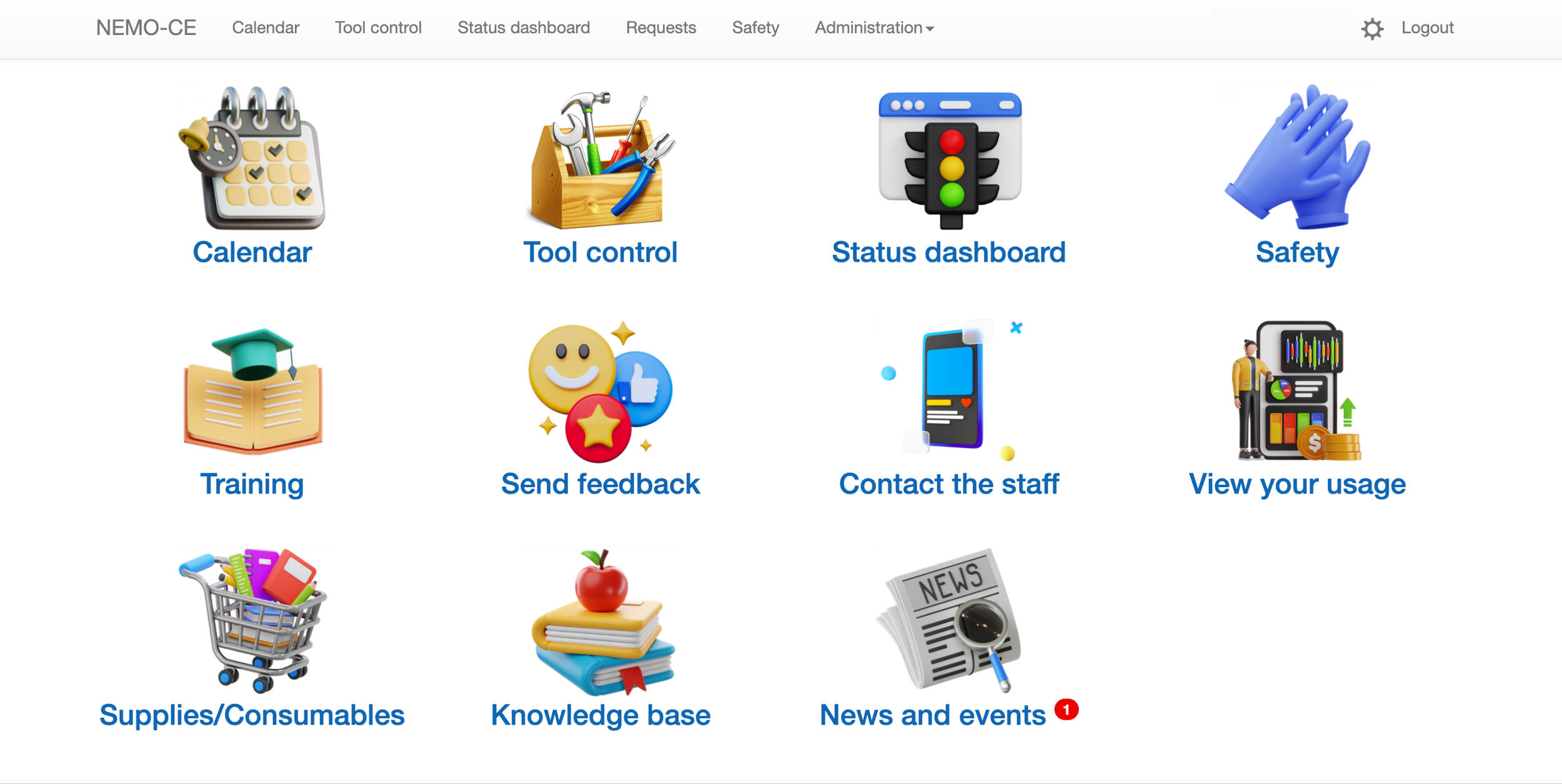
How to set up an account:
1. Complete the 'NEMO Account Form' and email it to cnilabs@columbia.edu (PDF or docx accepted).
For addition information on Columbia Chart Strings required for the Account Form, see below.
Account activation will be confirmed by email.
Non-CU internal applicants should instead follow instructions for account creation on the External User Program page. Once completed, you can continue to step 2 here.
2. Go to the CNI NEMO site (https://nemo.cni.columbia.edu/) and login using your Columbia UNI credentials.
When logging in, complete DUO two-factor authentication as you normally would for Columbia services.
Note: External users who do not have a Columbia UNI must first submit the external user account request form to have a NEMO account created. The form to start this process can be found here: Columbia UNI Creation Form.
3. Refer to the Columbia NEMO User Guide (PDF) and introductory video (YouTube) for an overview of basic NEMO functionality and usage.
Columbia Chartstring Info:
IMPORTANT: The PI Account number must be in this format:
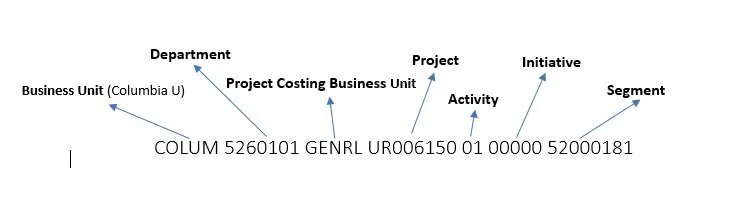
Examples:
COLUM 1234567 SPONS GG123456 01 12345 SMITH1
COLUM 1234567 GENRL UR123456 01 00000 00000000
NEMO accounts for external users are created by Staff.
Only one NEMO account is needed to access all of CNI labs.